A Practical Guide to Data Cloud Deployments
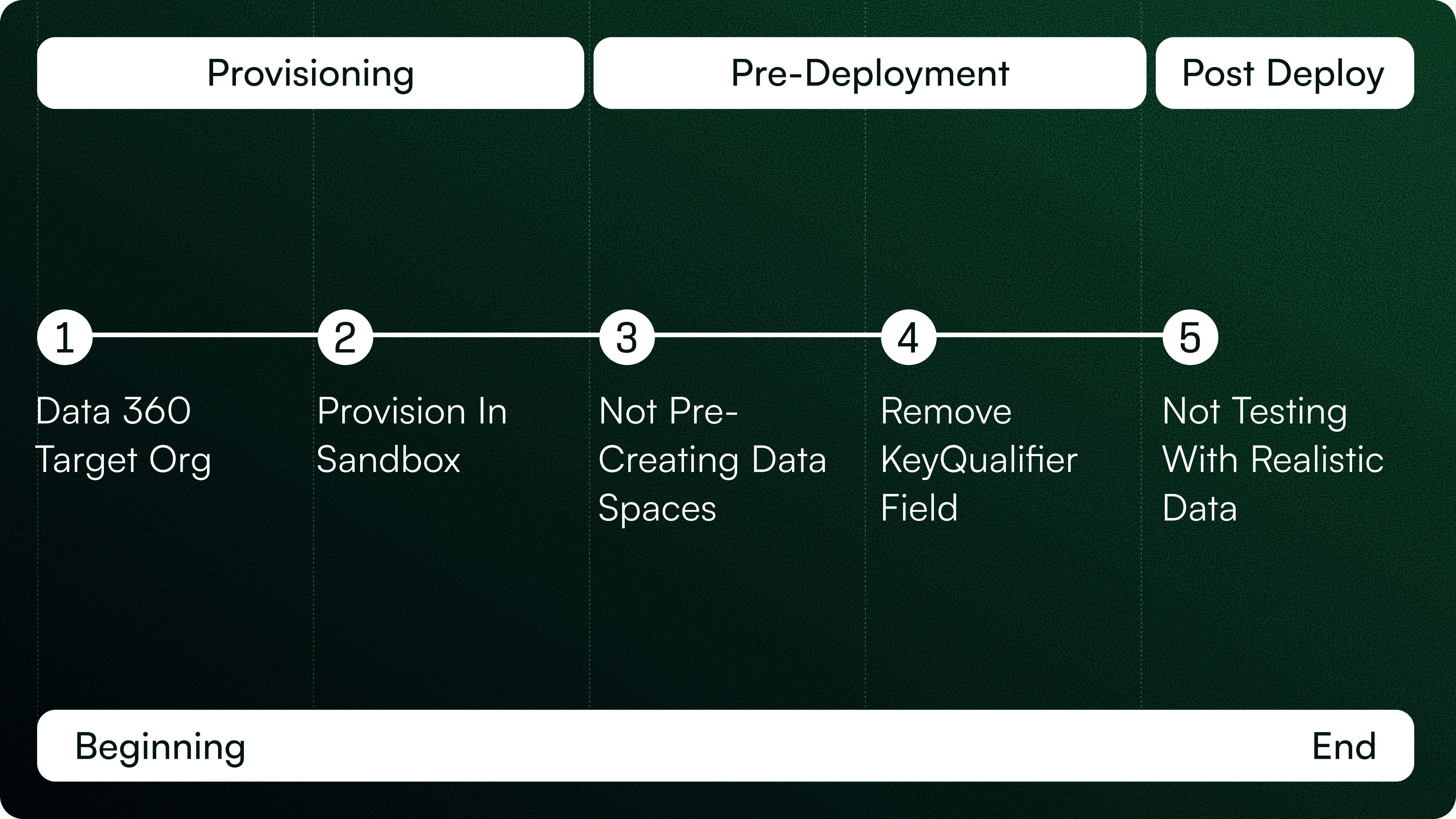
Data 360 (formerly known Data Cloud) is Salesforce’s most transformative step toward unified, real-time customer intelligence. But deploying it the right way is where the real challenge lies.
At Cloudearly, we’ve helped multiple enterprises set up and scale their Data 360 environments — from Free Zones and real estate leaders to large government programs — and one pattern is clear: your deployment approach determines your success.
Before you worry about schema mapping or calculated insights, it’s critical to understand the three ways you can deploy configurations in Data 360.

The 3 Ways to Deploy Data 360 Configurations
CLI-Based Deployment
For admins and architects comfortable with command-line operations, the Salesforce CLI is the most flexible option.
It allows you to export metadata (like Data Model Objects, Calculated Insights, and Data Actions) and deploy them across environments with precision.
This is ideal for teams managing multiple sandboxes or orgs under a DevOps workflow.Metadata API or Change Sets
Although not every Data 360 component is available via standard Change Sets, you can still leverage Metadata API for compatible configurations.
This suits teams transitioning from core Salesforce deployment models or smaller setups where GUI-based deployment is more manageable.DevOps Center / CI-CD Pipelines
The most scalable, governance-friendly approach.
With DevOps Center or a CI/CD pipeline integrated with Git, teams can version, review, and promote changes through structured environments (Sandbox → Staging → Production).
This ensures traceability, rollback safety, and consistent configuration integrity.
Pro Tip: No matter which method you choose, always define your Data 360 deployment pipeline upfront — how metadata moves, who approves it, and how version control is enforced.
The 5 Mistakes to Avoid in Data 360 Deployments
1. Provisioning Data 360 in the Wrong Target Org
Provisioning is foundational. Once Data 360 is activated in an org, that environment becomes tightly coupled to its Data Spaces, identity stitching logic, and DMO structures.
Many teams start testing or configuring Data 360 in the wrong sandbox or temporary environment. Later, when trying to migrate into the true production org, they face broken relationships, duplicate configurations, and internal inconsistencies that are nearly impossible to cleanly align.
Fix it early:
Always provision Data 360 directly in the production org. Use sandboxes for build work, not as the primary provisioning environment.
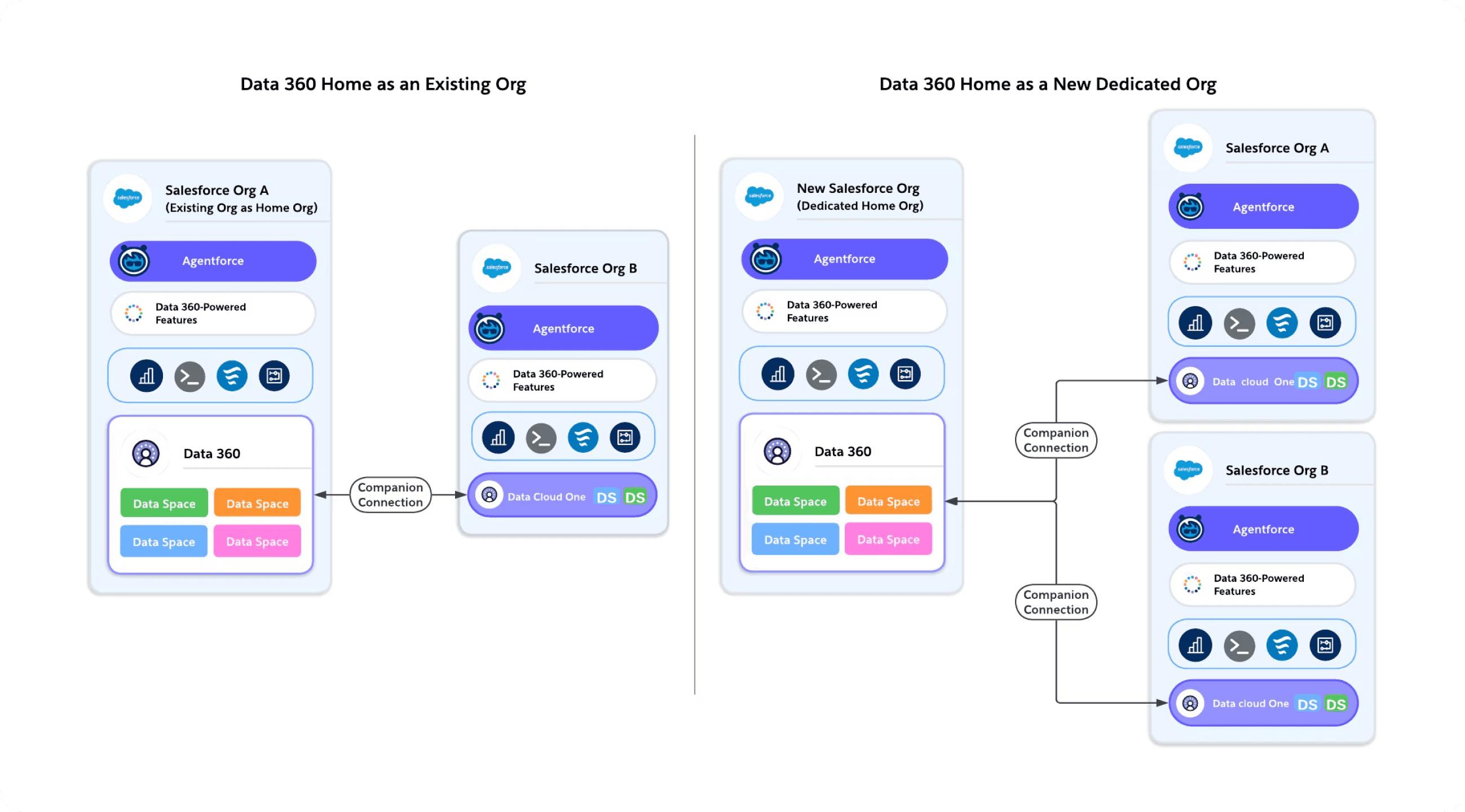
On the left, we see Data 360 provisioned inside an existing Salesforce org. This setup works if that org will remain your long-term hub. However, if this org is temporary or may change during a migration, it can create challenges later — like reconfiguring connections and re-provisioning Data Spaces.
On the right, we see a dedicated home org — a cleaner, scalable approach known as Data 360 One. In this model, Data 360 is provisioned in its own org, and other Salesforce orgs connect to it through Companion Connections. This allows centralized governance, shared metadata, and simplified multi-org management.
In short, think of the provisioning org as the ‘foundation’ of your Data 360 setup — choose wisely, because everything else depends on it.
2. Not Aligning Sandbox Licenses With Production
A critical nuance: sandboxes created before Data 360 was provisioned will not inherit Data 360 licenses or entitlements.
Teams often discover this too late — when features behave differently between sandbox and production.
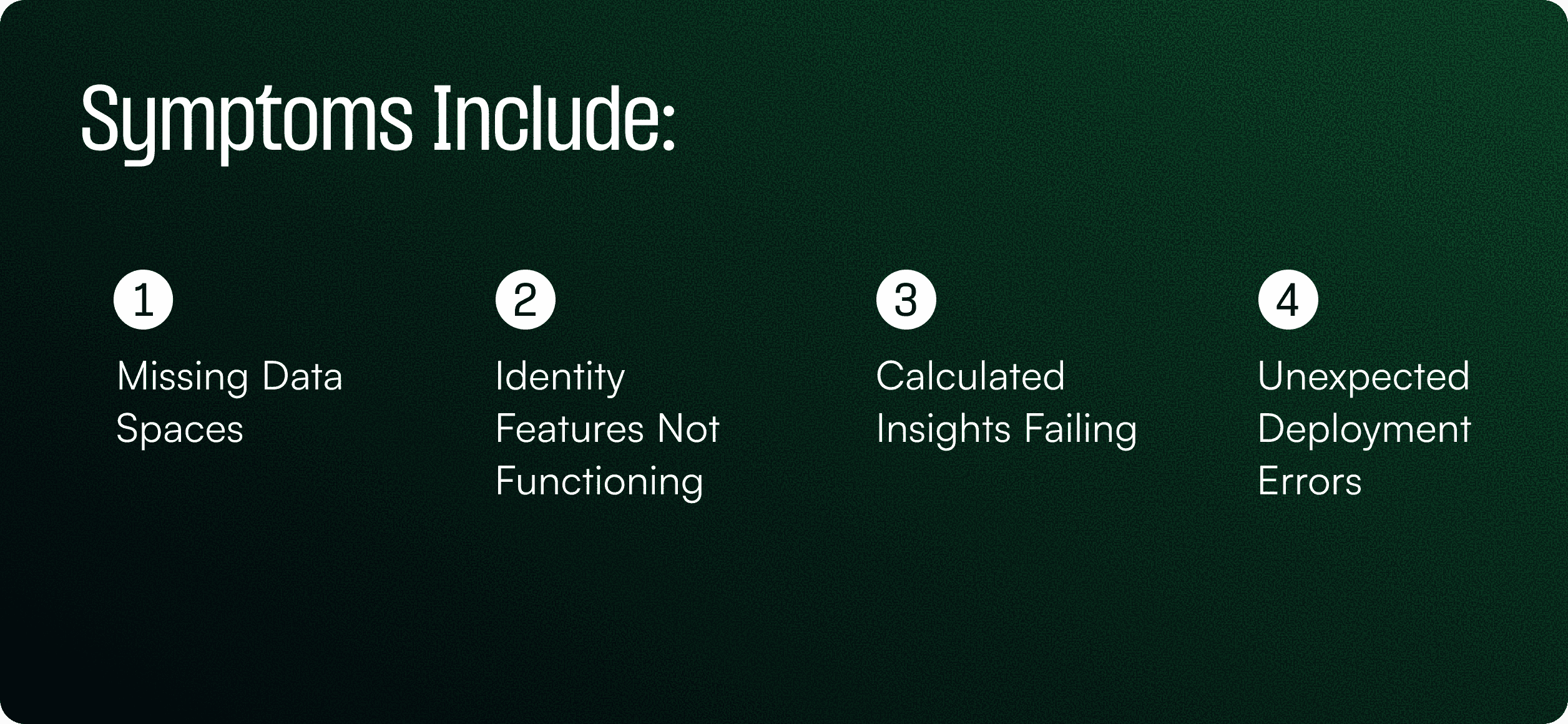
The environment behaves inconsistently because the licensing foundation is misaligned.
Fix it:
Use a full sandbox refresh after Data 360 is enabled in production or apply the License Match feature to mirror entitlements.
Your sandbox must behave exactly like production before you begin configuration.
3. Failing to Pre-Create Data Spaces
Data Spaces are central to Data 360 governance, controlling visibility, compute isolation, and activation boundaries.
However, deployments will fail instantly if the target org does not already have the same Data Spaces defined.

Fix it:
Define your Data Space strategy upfront and manually create those spaces — with identical naming — in every environment before deploying.
4. Deploying KeyQualifier Files (KQ_*.json)
When metadata is exported via CLI, Data 360 generates KeyQualifier files that contain environment-specific identity configuration logic.
They are not meant for deployment, and pushing them into another org can overwrite that org’s identity model, causing:
Broken stitch groups
Incorrect unification behaviour
Inconsistent identity resolutions across environments
These issues are extremely hard to reverse after the fact.
Fix it: Strip all KQ_*.json files from deployment packages.
Identity rules must remain native to each org.
5. Testing With Simplified or Dummy Data
Deployments often “succeed” even with synthetic data — but real-world behaviour only emerges when full-scale, messy, production-like data is used.
Testing with dummy data hides critical issues such as:
Segments that generate no results
Insights that compute incorrectly
Identity stitching that doesn’t work across datasets
Activation failures against real systems
Performance problems under real volume
Fix it:
Use production-scale and schema-accurate data in a staging environment. Validate segmentation, ingestion, identity resolution, and end-to-end activation before promoting to production.
Summary: What Teams Get Wrong — and How to Get It Right
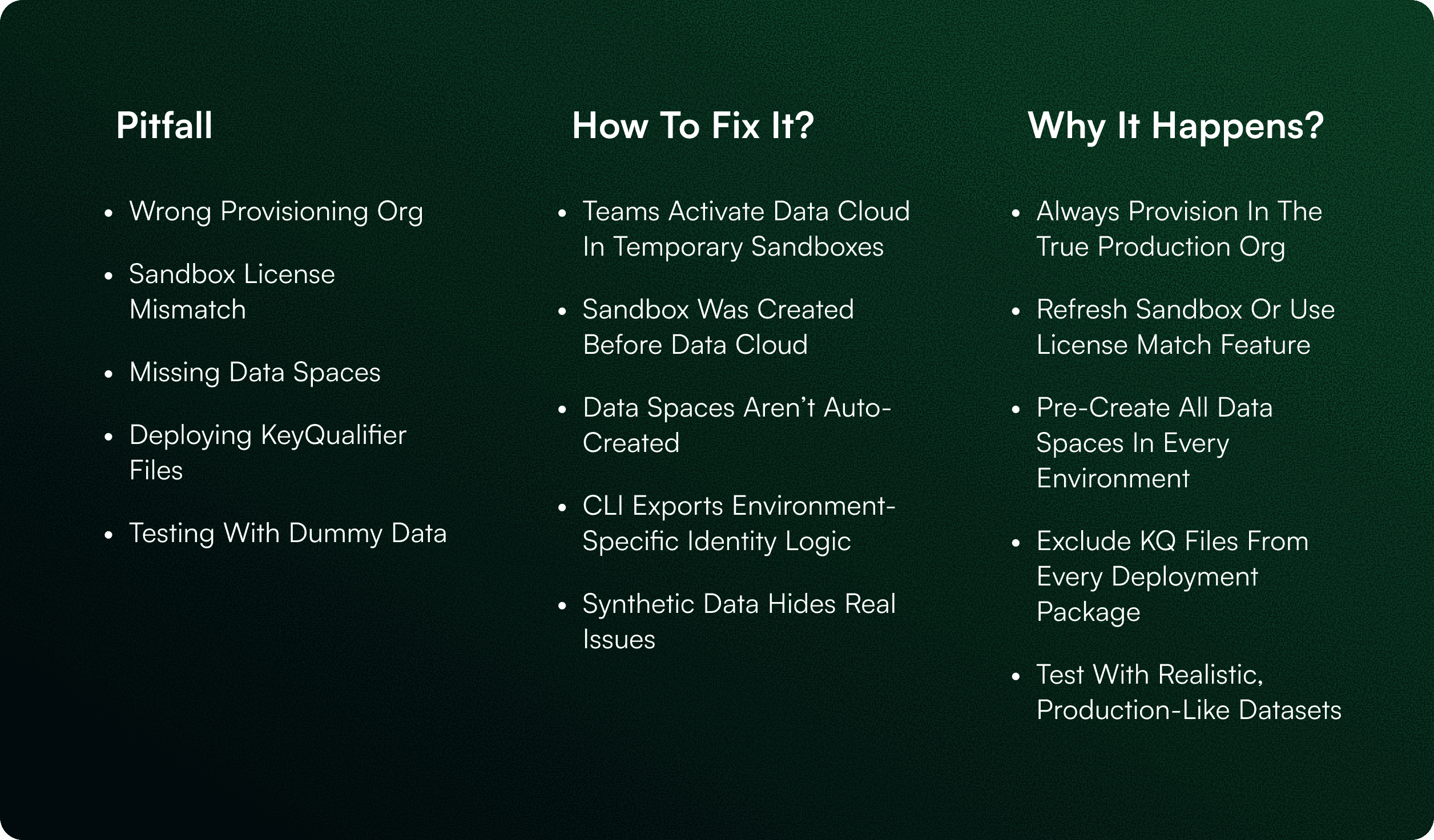
Final Thought
Data 360 success is determined long before your first segment or insight is built.
It comes from starting in the right org, aligning environments, designing Data Spaces intentionally, respecting identity logic, and testing with real data.
Teams that follow these principles achieve faster timelines, fewer surprises, and scalable Data 360 foundations ready for AI.

Neha Nagori

Schedule a Free Salesforce Org Audit
Let’s review your tech stack, spot gaps, and show you how to scale better - starting now.
